Global Halcon settings
The Halcon plugin adds the tab Halcon to the global settings.
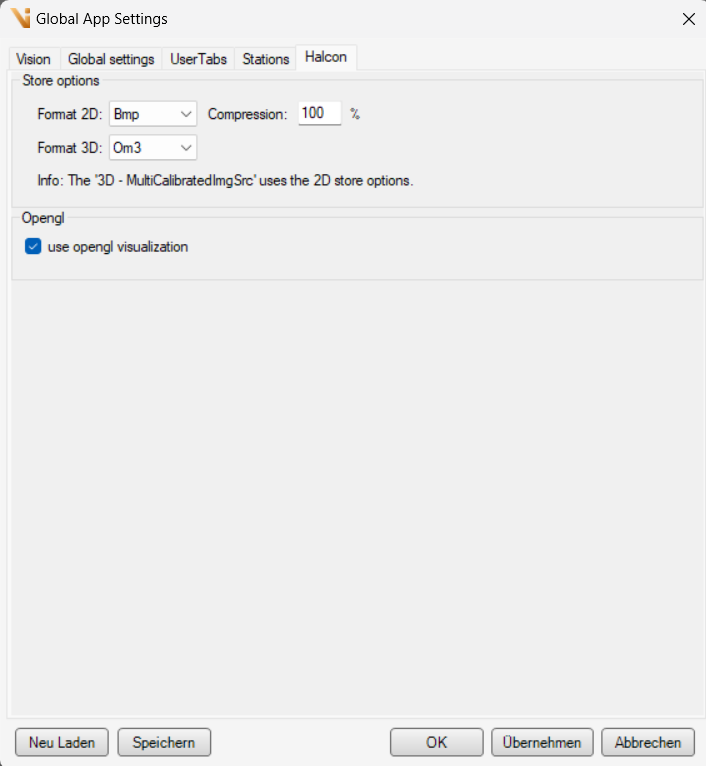
Store options
File formats in which Viper stores the data of the Halcon image sources when saving the images of a job:
Format 2D: format of the images from Halcon 2D image sources: Bmp (default), Png, BigTiff, Tiff, Jpeg, Jp2, Jpegxr, Ima, Hobj.
Compression: compression in percent (0–100, default: 100). Only effective for Jpeg, Jp2 and Jpegxr; Png is always saved with the best compression, the other formats uncompressed.
Format 3D: format of the 3D object models from Halcon 3D image sources: Om3 (default), Dxf, Off, Ply, Obj.
The image source Multi Calibration saves its single images in the 2D format (note in the dialog). Images with floating-point pixels are always saved as Tiff. The file names contain the identifier of the image source, e.g. …#Img0_H2D.bmp or …#Img0_H3D.om3.
A job can use different formats: in the job settings (category SaveImages), StoreDataOptions applies if UseGlobalSaveImgFlags is set to false.
Warning
Jpeg saves lossy. Saved images can then give different results when evaluated again (Loading saved images).
Opengl
use opengl visualization (default: on): the 3D display draws with OpenGL. Switch it off if no suitable OpenGL is available on the computer. The differences are described under Display with and without OpenGL. The setting only affects the 3D display.
Memory
Temporary memory cache: Halcon system parameter
temporary_mem_cache, defines how Halcon caches the temporary working memory of the operators:exclusive (default, Halcon default): a separate cache per thread.
shared: one cache shared by all threads.
idle: no cache, the memory is released after each operator.
idle keeps the memory demand of jobs with many Halcon operations from growing in continuous operation, but can make the operators somewhat slower. The setting applies to the whole Viper process and only takes effect after Viper has been restarted. At startup the log shows the active value (
HALCON temporary_mem_cache = …); an invalid value is ignored with a warning, exclusive then applies.